 SubVocal
Translate between any of the 13 languages.
English and Spanish today, another pair tomorrow. Choose any pair from 13 languages. “My voice” also works beyond the free pair. Whispering requires an offline dictation pack.
FEATURES
One language pair in both directions. No time limit, sentence limit or ads. If the first launch is in English, the pair is English ↔ Spanish. No ads. No sentence limit. No time limit.
The interface is also available in Polish, but it does not recognize Polish whispers, speak Polish, or translate from or into Polish.
PRO / MORE POSSIBILITIES
The core conversation is free. Pro adds languages, a business tone, your own terms and a choice of wording on a compatible iPhone.
English and Spanish today, another pair tomorrow. Choose any pair from 13 languages. “My voice” also works beyond the free pair. Whispering requires an offline dictation pack.
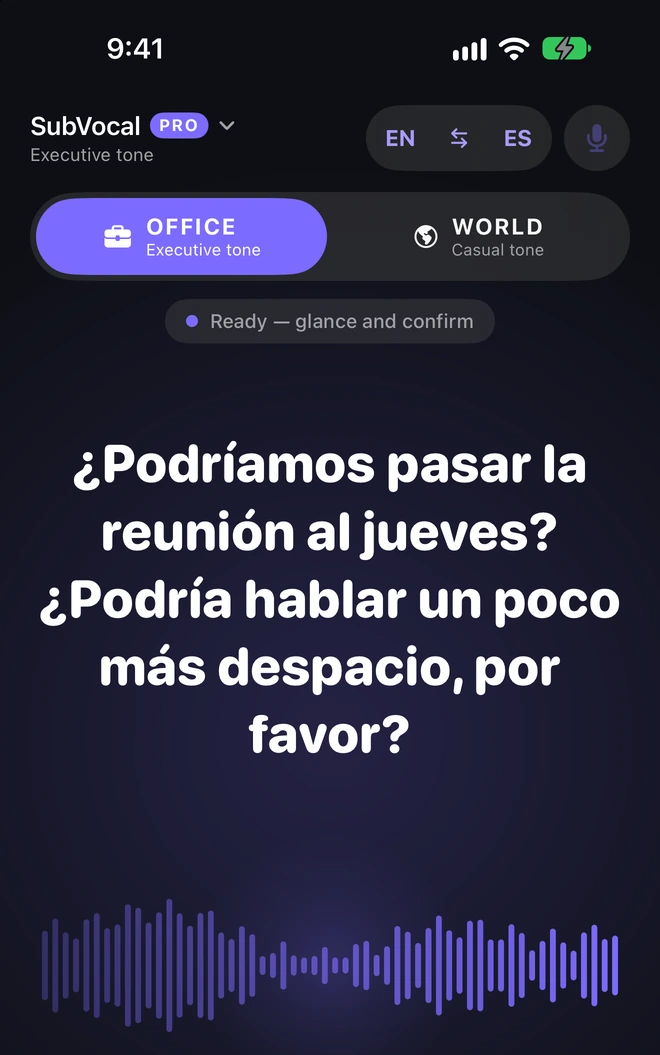
OFFICE applies business rules in 7 languages, such as “usted” in Spanish. In the other six it changes the voice's character, leaving the text unchanged.
In the “Meeting glossary”, enter a word from the translation and your own replacement. Useful for product names and company terms. It does not change whisper recognition.
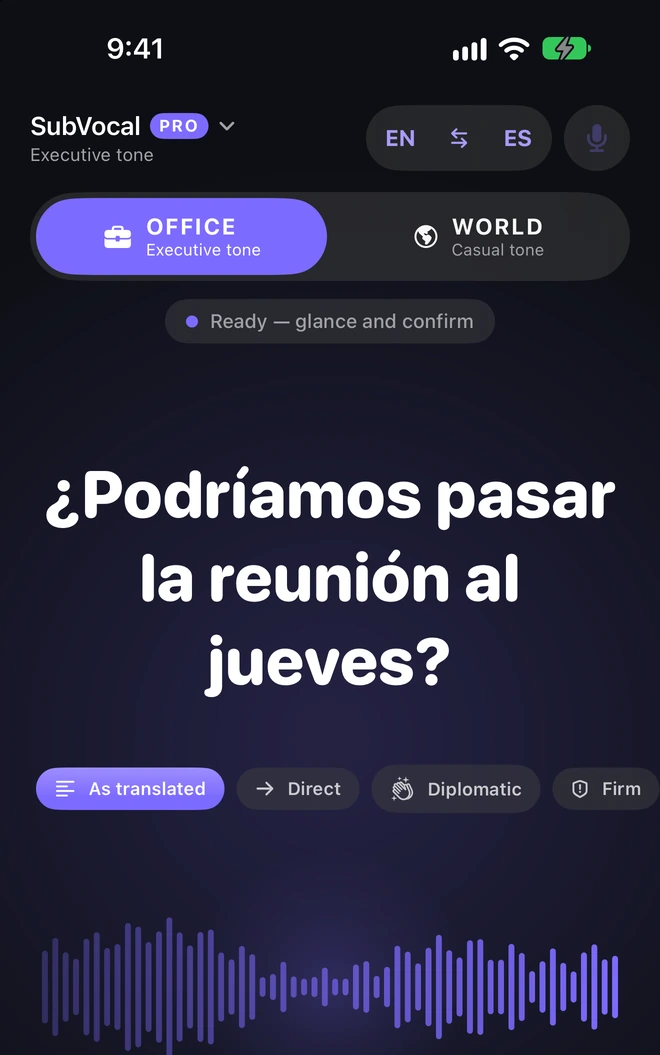
Diplomat mode suggests direct, diplomatic and firm versions. Compare them with the original translation and choose. Requires Apple Intelligence; see the conditions below.
OFFICE is a business tone available in Pro. It has rules in 7 languages. In the others it changes the voice's character without rewriting the text.
Diplomat mode: Pro only, on an iPhone with Apple Intelligence and iOS 26 or later.
Diplomat mode requires Pro, an iPhone that supports Apple Intelligence, iOS 26 or later, and Apple Intelligence enabled. The iPhone and Siri languages must be the same and supported by Apple Intelligence. Polish is not supported. The other Pro features do not require Apple Intelligence.
Your iPhone shows what it heard before sending the sentence for translation.
FreeRemoves common filler words in 11 languages before translation. Does not work in Turkish or Vietnamese.
FreeThe sentence ends after a pause or when you tap the button. The translation appears in large type.
Free in one pair · Pro in all pairsThe sentence ends after about 2.5 seconds of silence instead of one. A single utterance can last up to 30 seconds instead of 12. Enable it in Settings → Whisper → End of sentence.
FreeThe plus adds the next sentence to the ready message. “Speak” says it all; the cross discards it all. “Back to the message” stops adding. Enable it in the whisper settings.
FreeSpoken words are highlighted, and longer text scrolls to the current sentence. With Reduce Motion enabled, the text changes position without animation.
FreeSwitch sides in the conversation. Read the other person's reply as translated text; the feature works between different languages.
FreeShow the sentence in large letters, rotated towards the person opposite you.
FreeYour whisper becomes speech in the same language, without translation.
Free in the free pair's languages · Pro in the othersType a sentence or choose a saved phrase. Each language also has five ready-made “To start from” phrases.
FreePlay an approved sentence again or reverse the translation direction.
FreeYou decide whether the finished sentence is spoken. A typed sentence in “Speak for me” is spoken when you tap “Say it”.
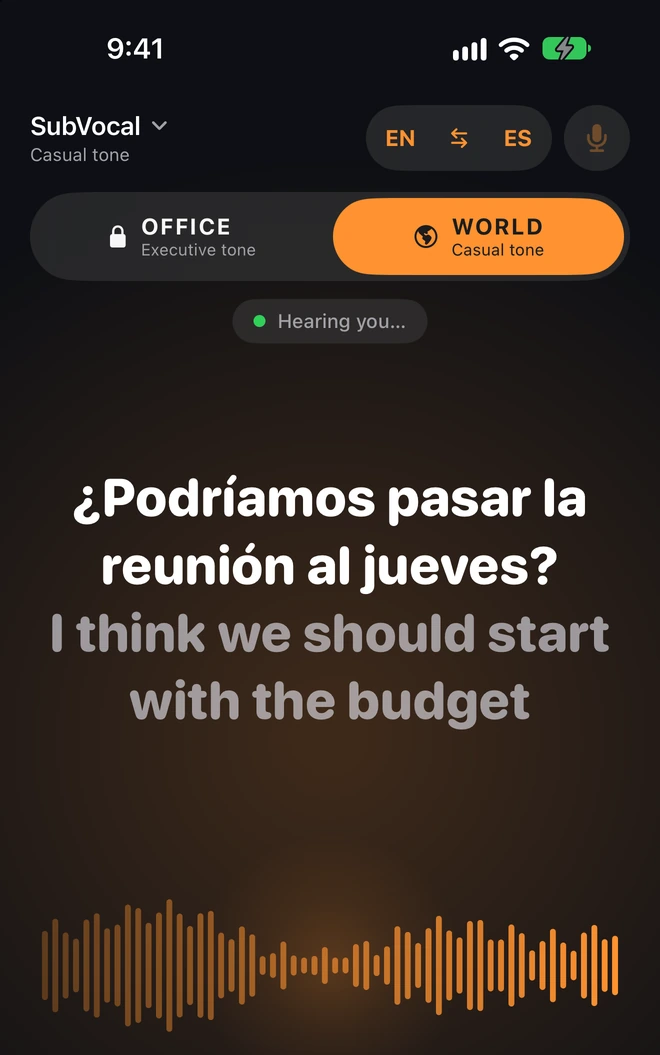
FreeMore casual wording in English and Spanish. Text in the other languages stays unchanged.
FreeWith the “Meetings” purpose, you can see how a sentence would look in the business tone before buying Pro.
FreePoliteness rules in 7 languages. In the other languages the voice's character changes, without rewriting the text.
ProA sentence containing a recognized word from your list is held. It is spoken only after “Say anyway”.
FreeReplace a specified word in the finished translation with your chosen version. This does not change whisper recognition.
ProSuggests direct, diplomatic and firm versions for you to check before speaking.
Pro · compatible iPhone · iOS 26+NEVER SAY / FREE
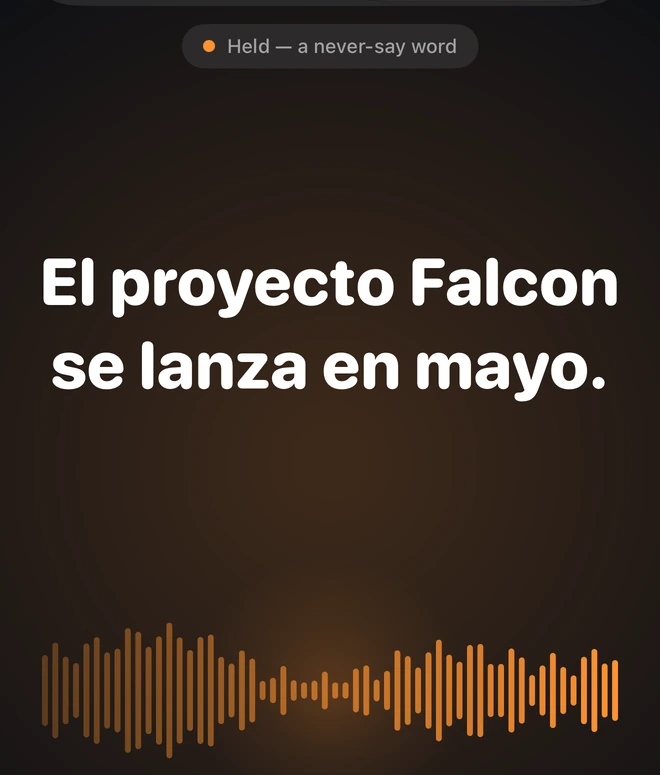
Add words the app should not say without an extra decision. In this example, the name “Falcon” holds the sentence. Only “Say anyway” on the iPhone allows it to play aloud.
The block depends on recognizing the word.

Slower, normal or faster. The setting is saved separately for each language and applies from the next sentence.
FreeApple Watch is optional and works together with the iPhone.
Optional“Start whispering” and “Speak for me” open the app to listen. “Translate now” ends the current sentence. Starting requires your iPhone to be unlocked.
FreeShortcut and Spotlight names follow your iPhone language. Siri voice commands for SubVocal are available only in English.
FreeRuns an assigned shortcut on iPhone models equipped with this button.
Free · compatible iPhone14 languages for menus and buttons, independently of the iPhone language. The change takes effect when you reopen SubVocal. It does not change the free pair.
FreeLarge iOS text sizes, VoiceOver, high contrast and reduced animation. The core conversation does not require buying Pro.
FreeSaved lists are encrypted with a key that never leaves this iPhone. They are included in an iPhone backup if you make one, but cannot be read on another device. Transfer them to a new iPhone using a file (“Export to a file”). SubVocal does not sync them through iCloud.
FreeMove phrases, the glossary, “Never say” and speech rates via a file. The export is readable text. Import adds entries without removing existing ones; it accepts a SubVocal file up to 1 MB.
FreeDeletes lists, settings and the current utterance. Does not change the free pair or Pro purchase, and does not delete exported files.
FreeRestores access to Pro bought on the same Apple Account. Requires a connection to the App Store.
FreeMORE FLEXIBILITY / FREE
Take a longer pause, add another sentence and follow the text during playback. These features are also available without Pro.
01 / Long pause
In Settings → Whisper → End of sentence, choose “Long pause”. The app waits for about 2.5 seconds of silence instead of one. A single utterance can then last up to 30 seconds instead of 12.
02 / Message from several sentences
Enable this option in the whisper settings. The plus beside a ready sentence lets you add the next one. “Speak” says the whole message, and the cross discards it all.
03 / Text follows the voice
During playback, spoken words are highlighted. A longer message scrolls to the current sentence. With Reduce Motion enabled in iOS, this happens without animation.
IN THE APP
The interface is also available in Polish, but it does not recognize Polish whispers, speak Polish, or translate from or into Polish.
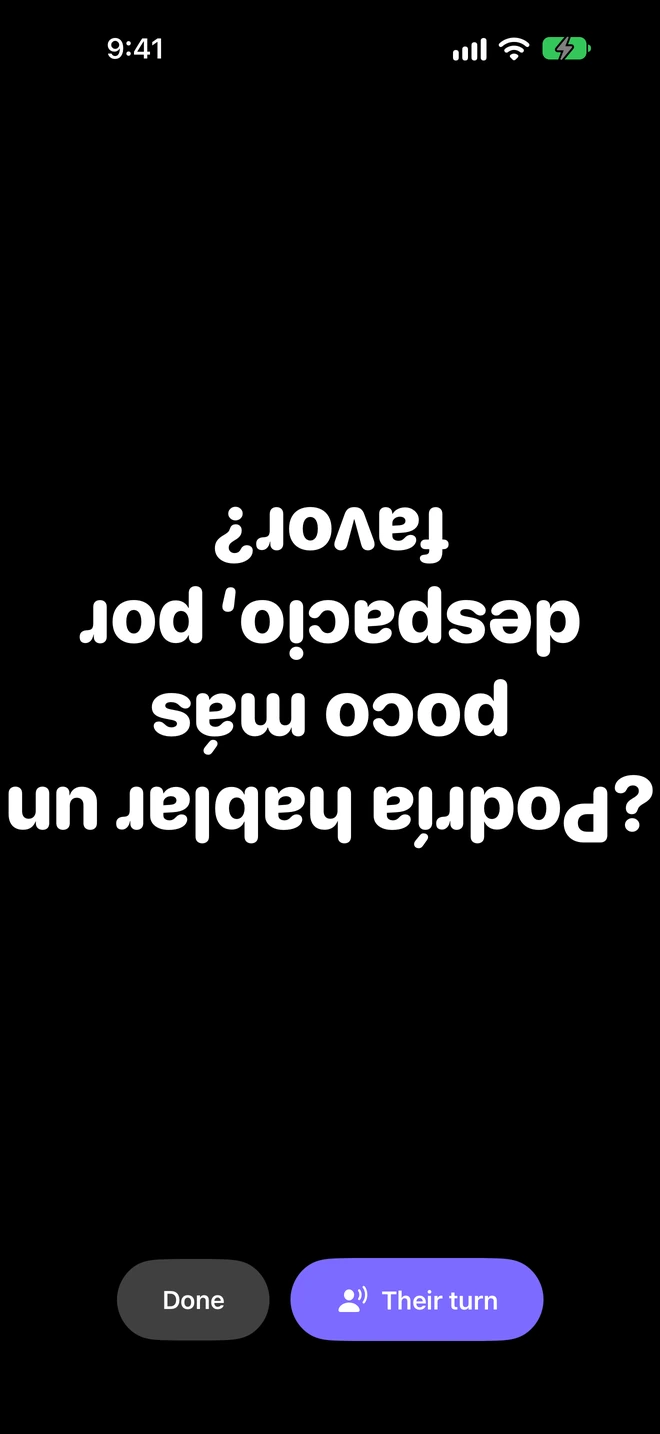
The large sentence rotates towards the person opposite you. The text in the screenshot is intentionally upside down.
CONDITIONS
Diplomat mode requires Pro, an iPhone that supports Apple Intelligence, iOS 26 or later, and Apple Intelligence enabled. The iPhone and Siri languages must be the same and supported by Apple Intelligence. Polish is not supported. The other Pro features do not require Apple Intelligence. It is designed to change tone, but always check that a suggestion preserves the sentence's meaning.
Apple Watch is optional and works together with the iPhone.
DEVICES AND LANGUAGES
SubVocal translates between 13 languages in both directions. Whispering requires an offline dictation pack for that language variant available on your iPhone. Polish is an interface language only.
WORLD and OFFICE can change wording. In Spanish, OFFICE uses forms such as “usted”.
OFFICE changes formal greetings and thanks. It does not automatically replace “du” with “Sie”.
OFFICE has politeness rules. WORLD leaves the translated text unchanged.
OFFICE does not yet have rules that change text. Only the voice's character changes.
Choose the exact variant in dictation packs. Offline recognition availability depends on the iPhone and language.
DEVICES AND LANGUAGES
The phone is unlocked, with SubVocal open on screen. The iPhone microphone is about 30 cm from your mouth. Switching to another app or locking the screen stops listening.
An offline dictation pack for your whisper language and the other person's language, plus translation models for the pair. Download them over the internet; the conversation can then work offline.
Your whisper is captured by the iPhone, not the AirPods microphone. Check the audio route or disconnect your headphones if the person beside you needs to hear the finished sentence.
The other features do not require Apple Intelligence. Diplomat mode needs Pro, a supported iPhone, iOS 26+ and compatible device and Siri language settings.
Whispering and “Their turn” require an available offline dictation pack for the exact language variant. Not every variant is available on every iPhone.
Compare Free and Pro