
WHO IT HELPS

Find your situation.

In class, at reception, at the table with a client. SubVocal lets you prepare a sentence in one of the supported languages before speaking it or showing it.

The interface is also available in Polish, but it does not recognize Polish whispers, speak Polish, or translate from or into Polish.

Coming soon to the App Store.
Study and language learningMeetings and client workTravel and everyday mattersHome, reading rooms, quiet placesMy voiceWhen a reply is easier to read
01
A student prepares a sentence on his iPhone while meeting a fellow student in a library.

Study and language learning

For students and language learners who already know one of SubVocal's languages.

On the way to class, whisper a question in English and read its Spanish translation. Once there, you can play it aloud. “Repeat” and a slower speech rate help you hear the pronunciation again. In a reading room, use “Show the sentence to the other person” to ask without sound.

Free in your pair. Other pairs require Pro. It helps you prepare what to say; it does not translate an entire lecture or assess pronunciation.

For example

Erasmus and everyday life

In a student residence, university office or bank, prepare a question in one of the SubVocal languages. Review the translation, then play it or show it to the person opposite you.

A quiet dictionary in class

On the train to university or during class, check the translation of your own word or short sentence. You can simply read the result without playing any audio.

A calm start to a conversation

If a conversation in another language makes you nervous, prepare your sentence first. Review it and decide whether to say it yourself, play it or show it.


02
A woman checks a sentence on her iPhone during a client meeting.

Meetings and client work

When words, product names and a polite tone matter.

Prepare a sentence in English and check the translation before playing it to a client. OFFICE in Pro applies business rules in 7 languages. The “Meeting glossary” replaces a specified term in the translation with your wording. On a compatible iPhone, Diplomat mode gives you an additional choice of tone.

OFFICE, the glossary, other pairs and Diplomat mode are part of Pro. Diplomat mode requires iOS 26+, Apple Intelligence and a supported iPhone and Siri language; it does not work with Polish set as the language.

For example

Trade shows, conferences and coworking

At a booth or during a conference break, prepare a sentence for the person next to you. In a coworking space, you can type instead of dictating aloud. If noise makes whisper recognition difficult, choose typing too.

Negotiations under your control

The free “Never say” list can hold a sentence containing a recognized project name or amount. Pro adds the OFFICE tone, your own glossary terms and — on a compatible iPhone — Diplomat mode.

03
A traveler with a suitcase speaks with a receptionist, holding her iPhone in front of her.

Travel and everyday matters

At a hotel, restaurant, museum or service counter.

Whisper a question about a reservation in English. Check the Spanish translation and play it aloud or show it on screen. Then choose “Their turn”: read the other person's reply in English. If it is too noisy to whisper, type the sentence through “Say this”. Download languages before your trip.

Free in your pair. “Their turn” shows the translation as text and does not speak it aloud. People take turns speaking towards the phone.

For example

Everyday tasks abroad

Ask a question at a government office, agree on an address with a taxi driver or discuss car rental details. At border control, prepare a short answer and review it before playback.

A pharmacy or appointment desk

Ask about product availability, opening hours or an appointment. You can type a message and show the prepared sentence instead of saying it in front of other people.

Restaurants and saved requests

Save frequently used requests in “Your phrases”, such as a question about a dish’s ingredients. When ordering, choose the saved sentence, review the translation and show it to the staff.

SubVocal does not replace a medical interpreter and is not intended for emergencies. Confirm important information about allergies, medicines and doses in writing.

04
A couple reads a message on an iPhone in a quiet home with a sleeping child.

Home, reading rooms, quiet places

When you want to share a message without playing it aloud.

Near a sleeping child, prepare a sentence for someone who speaks English or Spanish. Choose “Show the sentence to the other person” and turn the screen towards them. Save your recurring requests in “Your phrases” so you do not need to type them again.

These tools are free within the available pair. Your whisper itself may be audible to people nearby; if you need silence, type the text.

For example

Family, care and work abroad

At a family meal, with an older person’s carer or while working as an au pair, prepare a message in a supported language. Save recurring requests in “Your phrases”.

Where others are resting

Near a sleeping child, on an overnight flight or in a quiet train carriage, type a request and show it on screen. A receptionist on a night shift or a seasonal worker in shared accommodation can do the same.

05
A woman quietly prepares a sentence on her iPhone while talking with a friend in a cafe.

My voice

When your voice is hard to hear, iPhone can say the sentence for you.

If your voice is hoarse or tired, you can type text or use saved phrases. If you are able to whisper, do so in a supported language, review the recognized text and approve playback. “Speak for me” reads the sentence in a synthesized voice in the same language, without translation.

Free in both languages of your pair; other languages in Pro. No Polish. SubVocal is not a medical device or an emergency tool. If you have been advised to remain silent, choose typing instead of whispering.

Your whisper becomes speech in the same language, without translation.
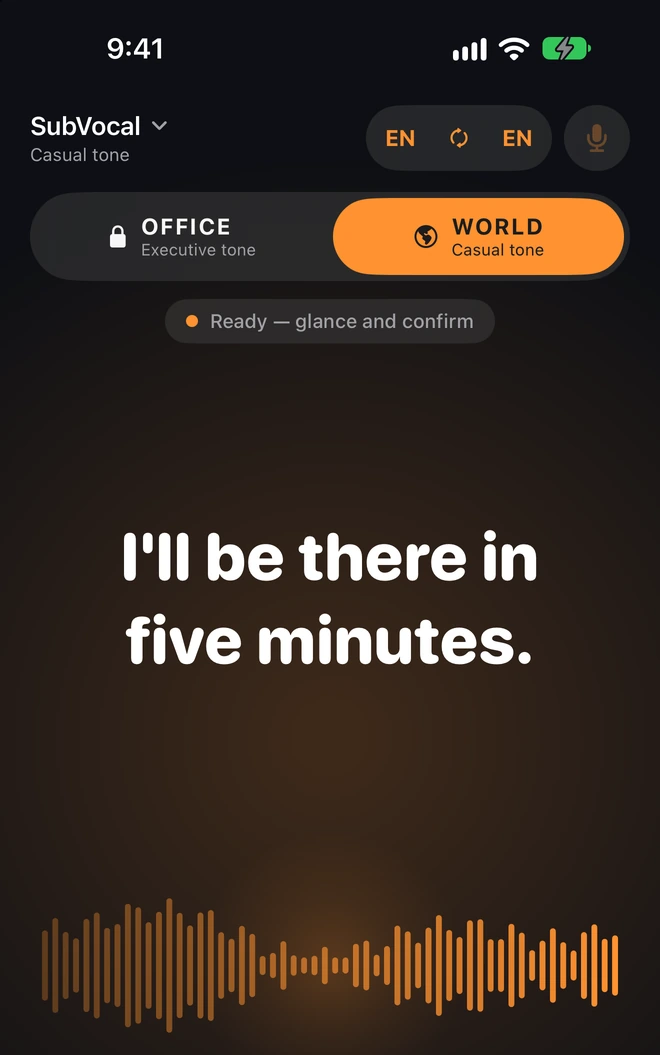
App screen excerpt

Your whisper. The same language.

Your whisper becomes speech in the same language, without translation.

For example

A tired voice after a long day

A teacher, singer, voice-over artist or call center adviser can type a sentence for a conversation with someone nearby. iPhone speaks it in a supported language. The feature does not translate a phone call.

Everyday requests within reach

In a hospital room or at the end of the day, type an everyday request or choose a saved phrase. If you have been advised to remain silent, use text instead of whispering.

06
A woman reads her iPhone screen while the bookseller opposite her answers.

When a reply is easier to read

A translation in large text when the other person is hard to hear.

Choose “Their turn” and point the phone towards the other person. You will see their Spanish reply in English. Each new sentence replaces the previous one, with no conversation history. Tell the other person you are using a translation app.

Free in your pair. This feature works only between different SubVocal languages. It is not a tool for same-language captions or Polish transcription.

For example

When the other person has difficulty hearing

Choose “Show the sentence to the other person”. Large text turns toward the person opposite you. They can read your message instead of listening to playback from the phone.

When the answer comes too fast

At a hotel or service counter, choose “Their turn”. You can read the reply in the other language of your pair as a translation. The phone should face the person speaking.

Check the languages first.

The interface is also available in Polish, but it does not recognize Polish whispers, speak Polish, or translate from or into Polish.

See the language list