 SubVocal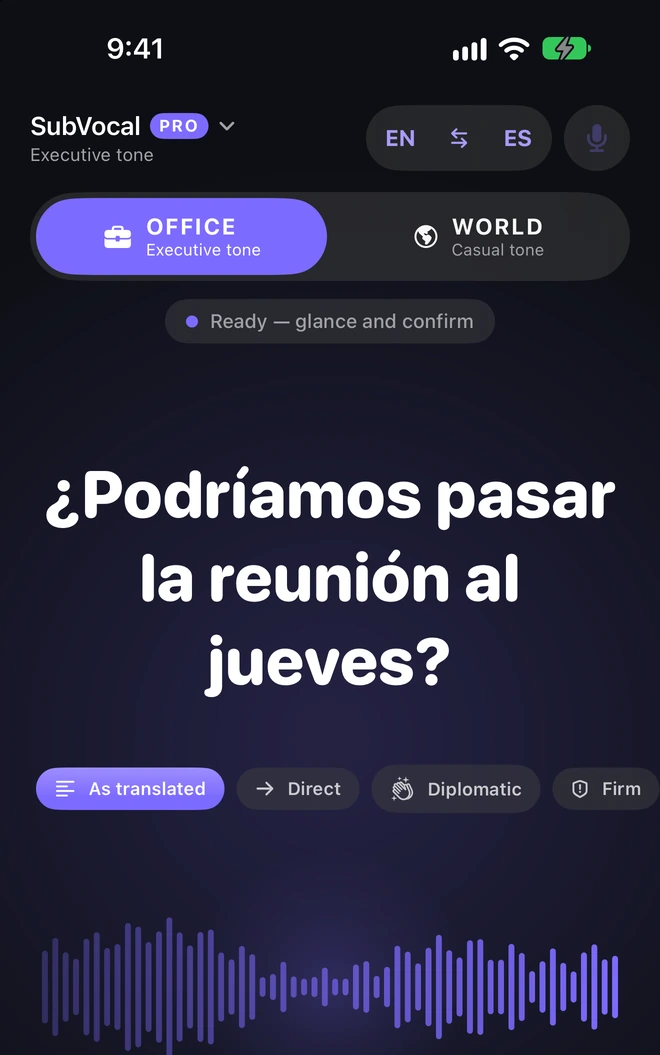

01 / Long pause
Time to gather your thoughts.
In Settings → Whisper → End of sentence, choose “Long pause”. The app waits for about 2.5 seconds of silence instead of one. A single utterance can then last up to 30 seconds instead of 12.
SUBVOCAL / A QUIET TRANSLATOR FOR iPhone
You whisper to your iPhone. You review the translation. You approve it, and your phone speaks it to the person you’re with.
See how it worksComing soon to the App StoreiPhone with iOS 18 or later · No headphones needed

13 conversation languages. The interface is also available in Polish, but it does not recognize Polish whispers, speak Polish, or translate from or into Polish.
Diplomat mode: Pro only, on an iPhone with Apple Intelligence and iOS 26 or later.
No registration or forms. SubVocal does not ask for your name, email address or phone number.
First-time setup requires microphone and speech recognition permissions and preparation of the language packs. You download the language packs once, over the internet. After that, SubVocal works without internet, even in airplane mode. Internet is needed only to download packs and to buy or restore Pro. Help
01 / WHO IT HELPS
SubVocal helps you talk to someone nearby: it translates, shows a sentence or speaks it for you. You use supported languages — Polish is available only in the interface.
Prepare a question for reception, a bank or a government office and review the translation before playback.
Check your own word or short sentence; you can simply read the result.
Review the content before playback. Pro adds the business tone OFFICE and your own glossary terms.
Show a message on screen, for example when someone nearby is asleep.
Type a message or choose a saved phrase, and iPhone speaks it in a supported language.
Show your sentence or read the translation of the other person’s reply.
Basic conversation tools are free within your language pair. Pro adds other pairs, OFFICE, a glossary and — on a compatible iPhone — Diplomat mode.
02 / HOW IT WORKS
Choose your languages. Hold your unlocked iPhone about 30 cm from your mouth, with the app open. Whisper beside the microphone so your breath does not drown out your words.
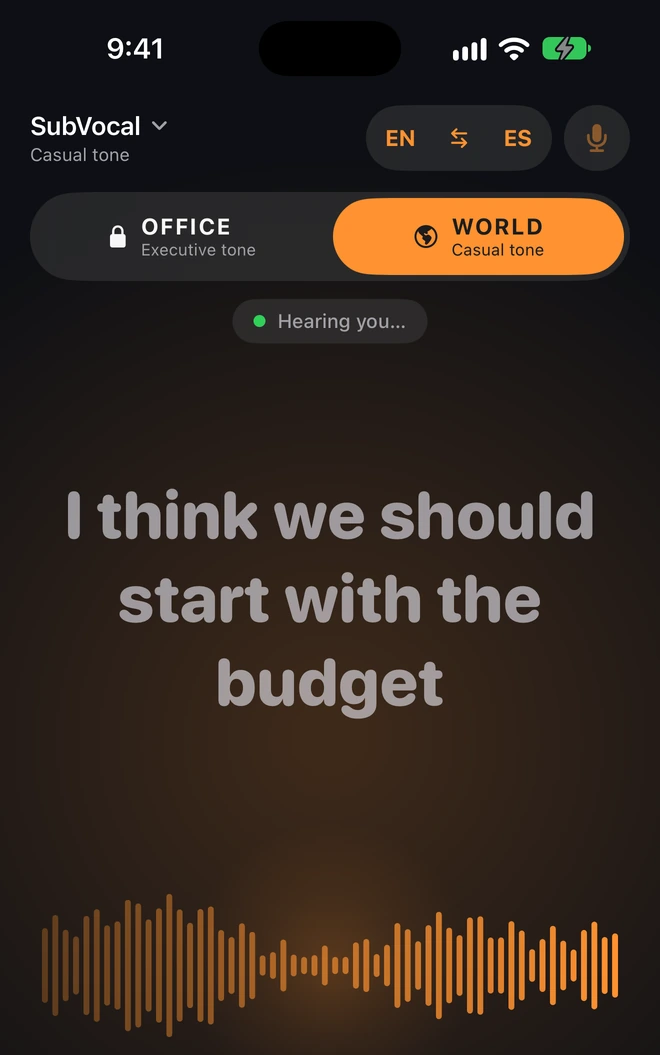
Words appear on screen while listening. A pause or “Translate now” ends the utterance.
Read the finished translation in large type. Check the sentence and decide whether to play it aloud.
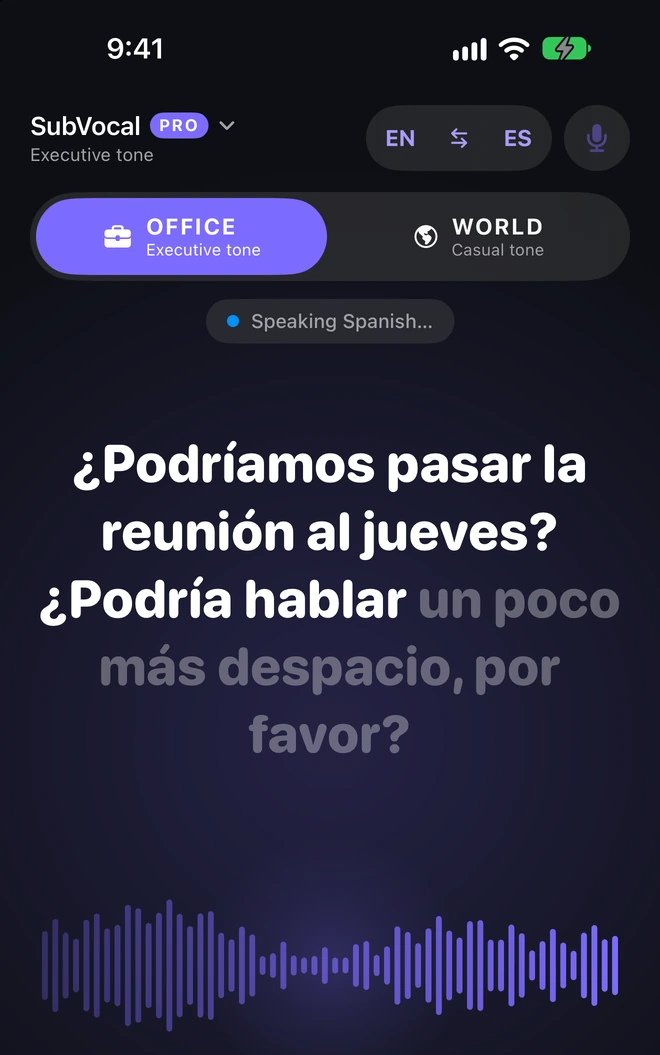
Tap “Speak”. Highlighting shows the spoken text while the rest of the message stays dimmed.
SubVocal works sentence by sentence, one person at a time. “Repeat” plays a previously approved sentence without another confirmation. In “Speak for me”, tapping “Say it” with typed text starts speech immediately.
SEE THE APP
Review, approve and speak — explore SubVocal’s screens in dark mode.
Diplomat mode: Pro only, on an iPhone with Apple Intelligence and iOS 26 or later.
MORE FLEXIBILITY / FREE
Take a longer pause, add another sentence and follow the text during playback. These features are also available without Pro.
01 / Long pause
In Settings → Whisper → End of sentence, choose “Long pause”. The app waits for about 2.5 seconds of silence instead of one. A single utterance can then last up to 30 seconds instead of 12.
02 / Message from several sentences
Enable this option in the whisper settings. The plus beside a ready sentence lets you add the next one. “Speak” says the whole message, and the cross discards it all.
03 / Text follows the voice
During playback, spoken words are highlighted. A longer message scrolls to the current sentence. With Reduce Motion enabled in iOS, this happens without animation.
IN THE APP
The interface is also available in Polish, but it does not recognize Polish whispers, speak Polish, or translate from or into Polish.
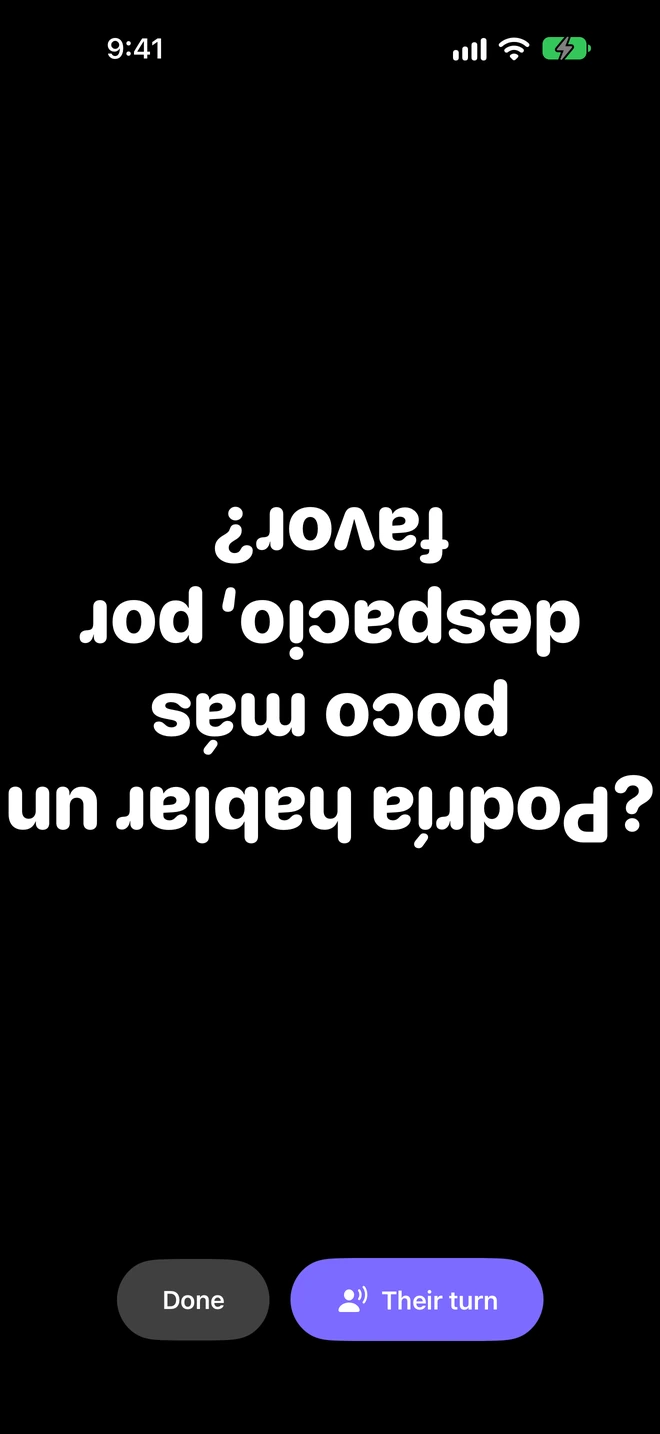
The large sentence rotates towards the person opposite you. The text in the screenshot is intentionally upside down.
03 / SITUATIONS

Prepare a question in English for a Spanish class. Read the translation or listen to it at a slower pace.

Check your sentence before meeting the other person. Pro adds the OFFICE tone and your own names in the “Meeting glossary”.

Ask about directions, a room or a reservation. Show the finished sentence and read a translation of the other person's reply. It works without internet too, so you don't need roaming abroad.

In a reading room or near a sleeping child, show the other person the sentence on screen. You do not have to play it aloud.

When speaking loudly is difficult, iPhone can say the sentence for you. Whisper in a supported language, review the recognized text and approve playback. If you cannot speak, type a message or choose a saved phrase.
A communication aid, not a medical device. This feature does not support Polish.

“Their turn” translates a reply into text. It works between two different SubVocal languages.
04 / FEATURES
One language pair in both directions. No time limit, sentence limit or ads. If the first launch is in English, the pair is English ↔ Spanish.
One pair · no time limit
All pairs · more control
When the country, client or meeting topic changes, Pro gives you a choice.
Diplomat mode requires Pro, an iPhone that supports Apple Intelligence, iOS 26 or later, and Apple Intelligence enabled. The iPhone and Siri languages must be the same and supported by Apple Intelligence. Polish is not supported. The other Pro features do not require Apple Intelligence.
PRO / THE DIFFERENCE
The core conversation is free. Pro adds languages, a business tone, your own terms and a choice of wording on a compatible iPhone.
English and Spanish today, another pair tomorrow. Choose any pair from 13 languages. “My voice” also works beyond the free pair. Whispering requires an offline dictation pack.
OFFICE applies business rules in 7 languages, such as “usted” in Spanish. In the other six it changes the voice's character, leaving the text unchanged.
In the “Meeting glossary”, enter a word from the translation and your own replacement. Useful for product names and company terms. It does not change whisper recognition.
Diplomat mode suggests direct, diplomatic and firm versions. Compare them with the original translation and choose. Requires Apple Intelligence; see the conditions below.
WORLD / OFFICE
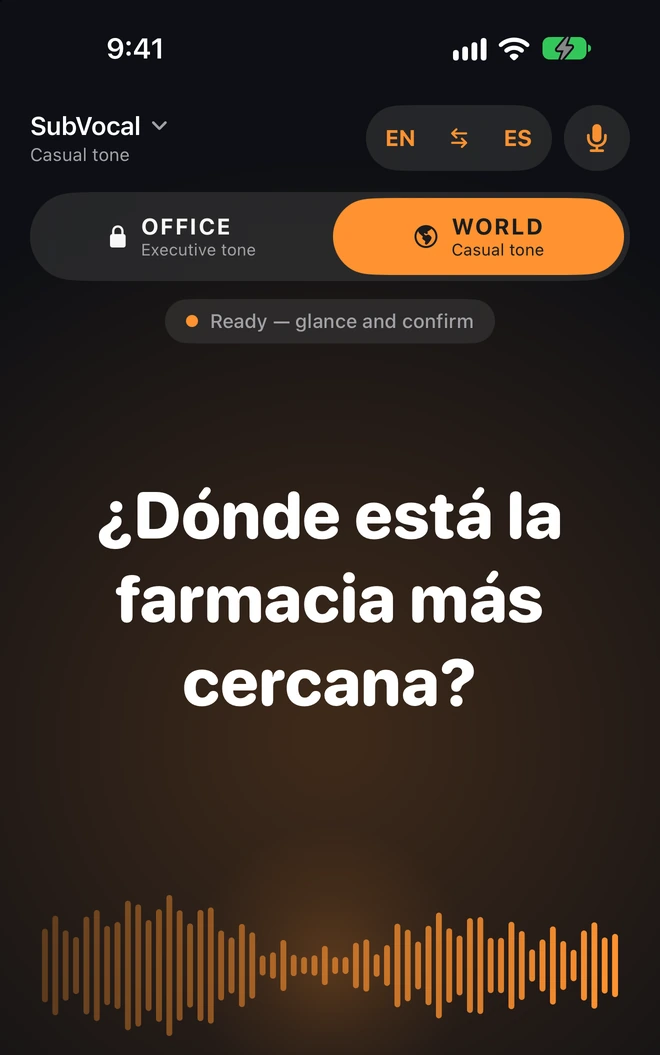
WORLD is a casual tone. It changes wording in English and Spanish; in the other languages it leaves the translated text unchanged.


OFFICE is a business tone available in Pro. It has rules in 7 languages. In the others it changes the voice's character without rewriting the text.
WORLD and OFFICE set the tone of your words. SubVocal is for talking to someone beside you, not translating calls. Your whisper is heard by the iPhone microphone, not a headphone microphone.
05 / LANGUAGES
The interface is also available in Polish, but it does not recognize Polish whispers, speak Polish, or translate from or into Polish.
The interface is available in 14 languages, including Polish. Change it in SubVocal Settings, independently of your iPhone language. This does not change the translation pair or unlock Pro. Whispering requires an offline dictation pack for the exact language variant.
Planned App Store availability: 174 countries and regions, excluding mainland China. An iPhone app for iOS 18 or later. Apple Watch is optional and works together with the iPhone.
Explore all features07 / PRICING
FREE gives you a complete conversation in one pair without limits or ads. Both Pro purchase options unlock the same additional features: all pairs, OFFICE, the glossary and — on a compatible iPhone — Diplomat mode.
Free
One pair in both directions, WORLD and all core conversation tools. No time limit, sentence limit or advertising.
First 7 days free
59.99 USDper year · after 7 free days
United States
All Pro features. Eligible new subscribers get the first 7 days free, then pay 59.99 USD per year. The subscription renews automatically each year until you cancel. Cancel at least 24 hours before the trial or billing period ends.
149.99 USDone payment · no renewal
United States
All Pro features for a one-time payment of 149.99 USD. No further renewal charges. Pro stays unlocked on your Apple Account for as long as SubVocal is available.
Prices shown are for: United States. The App Store will show the price in your currency and trial eligibility before purchase. Both Pro purchases belong to the buyer’s Apple Account and are not available through Family Sharing.
Manage your annual subscription in iPhone Settings › Apple Account › Subscriptions. Cancel at least 24 hours before the trial or billing period ends. Cancel during the free trial and nothing is charged. Buying “SubVocal Pro Forever” does not cancel an active annual subscription. Apple handles purchases and refunds.
Apple Terms of UseFREE and Pro share the same privacy rules: no account, ads or analytics in the app. Recognition, translation and speech run on your iPhone. The app does not send conversation content to the provider. Read about privacy
08 / QUESTIONS
The interface is also available in Polish, but it does not recognize Polish whispers, speak Polish, or translate from or into Polish.
Yes, after downloading offline dictation packs and translation models. Internet is needed for those downloads and to buy or restore Pro.
No. One language pair and WORLD work with no time limit, sentence limit or ads. Pro adds other pairs, OFFICE, the glossary and Diplomat mode on a compatible iPhone.
An iPhone with iOS 18 or later is enough for a basic conversation. Additional hardware is not a requirement for using SubVocal. Apple Watch is optional and works together with the iPhone.
No. It is an app for talking to someone beside you. It does not translate conversations in Phone, FaceTime or WhatsApp, or online meetings.
It does not create a conversation history or recordings. It does save lists you create yourself: phrases, the glossary and “Never say”. These are encrypted on your iPhone.
iPhone / AirPods / Apple Watch
An iPhone with iOS 18 or later is enough for a basic conversation. Additional hardware is not a requirement for using SubVocal.
Whisper to the built-in microphone, read the text and tap “Speak”. Without a connected audio device, the sentence plays through the phone speaker. Keep the iPhone near you with the app open.
Apple Watch is optional and works together with the iPhone.
SubVocal does not use the headphone microphone. You still whisper to your iPhone. Connected headphones may change where audio plays: check where you can hear the sentence before a conversation.
If the person beside you needs to hear it, the simplest option is to disconnect your headphones and use the iPhone speaker. A phone call on the same iPhone interrupts SubVocal listening.
DEVICES
The phone recognizes your whisper, translates and speaks.
Whisper towards your iPhone's microphone. The app must be open and the screen unlocked.
OFFICE · PRO
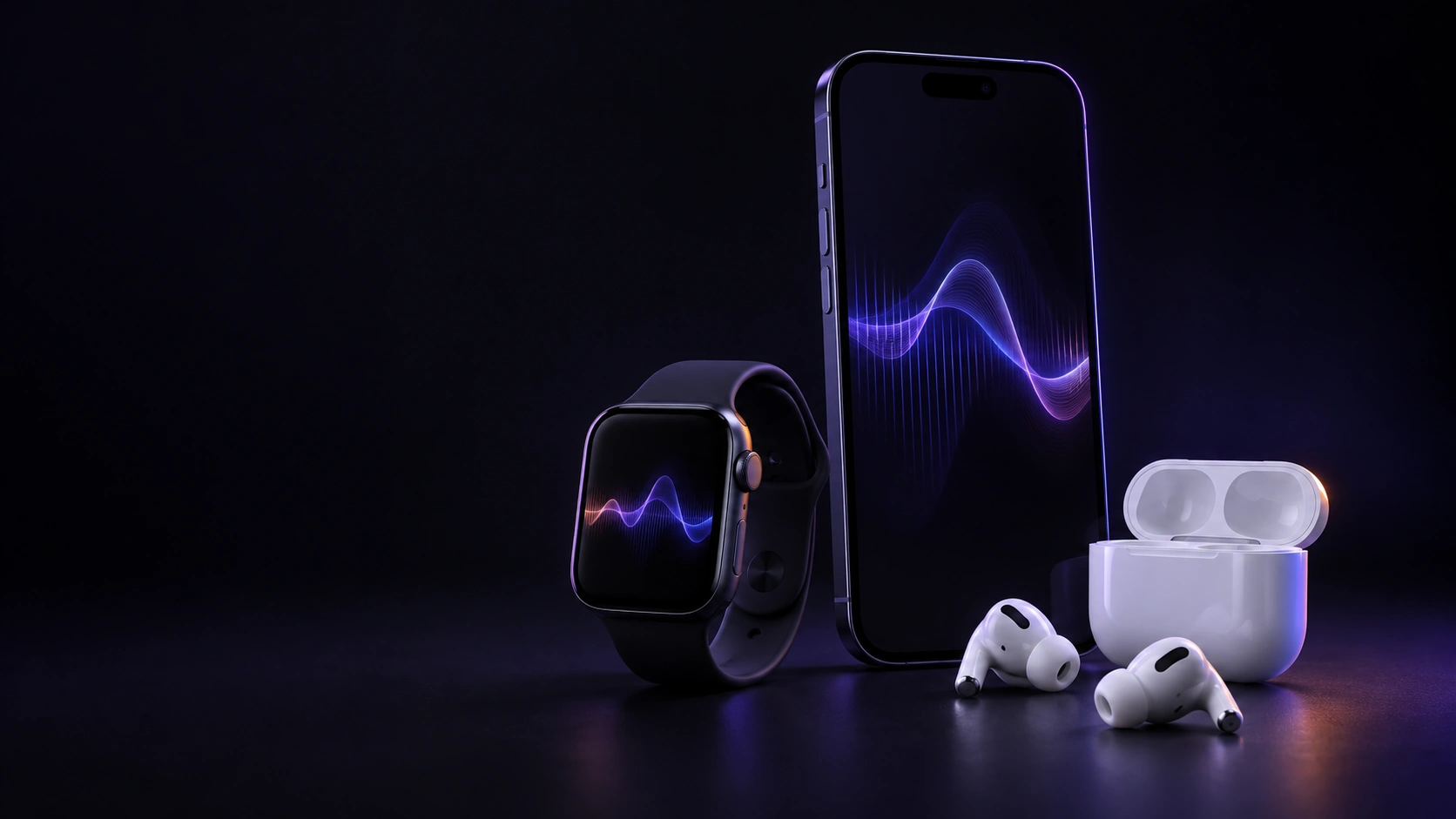
Apple Watch and AirPods are optional.
Diplomat mode: Pro only, on an iPhone with Apple Intelligence and iOS 26 or later.